
Environments
An environment is an isolated workspace within your tenant. It groups, under the same context, the resources that an automation needs: machines, processes, triggers, flows, assistants, credentials and the history of executions. Inside an environment, each area organizes its work in folders.
Think of an environment as a separate “room”: what happens in one does not affect the others. This allows you to test risk-free before touching what is already in operation.
Why separate into environments
Section titled “Why separate into environments”Without environments, any test would run on the same systems and data as the actual operation. Standard practice is to have at least two, and three are common:
| Environment | Purpose | Apunta a… |
|---|---|---|
| Desarrollo | Rapid iteration as you build automation | Sistemas de juguete / datos ficticios |
| Pruebas | Prior validation before promoting to production | Sistemas de prueba / staging |
| Production | Automations in real operation | Real company systems |
Each environment has its own credentials, so the same playbook that in Testing writes to a test database, in Production writes to the real one — without changing the playbook, just the value of the credential.
Create an environment
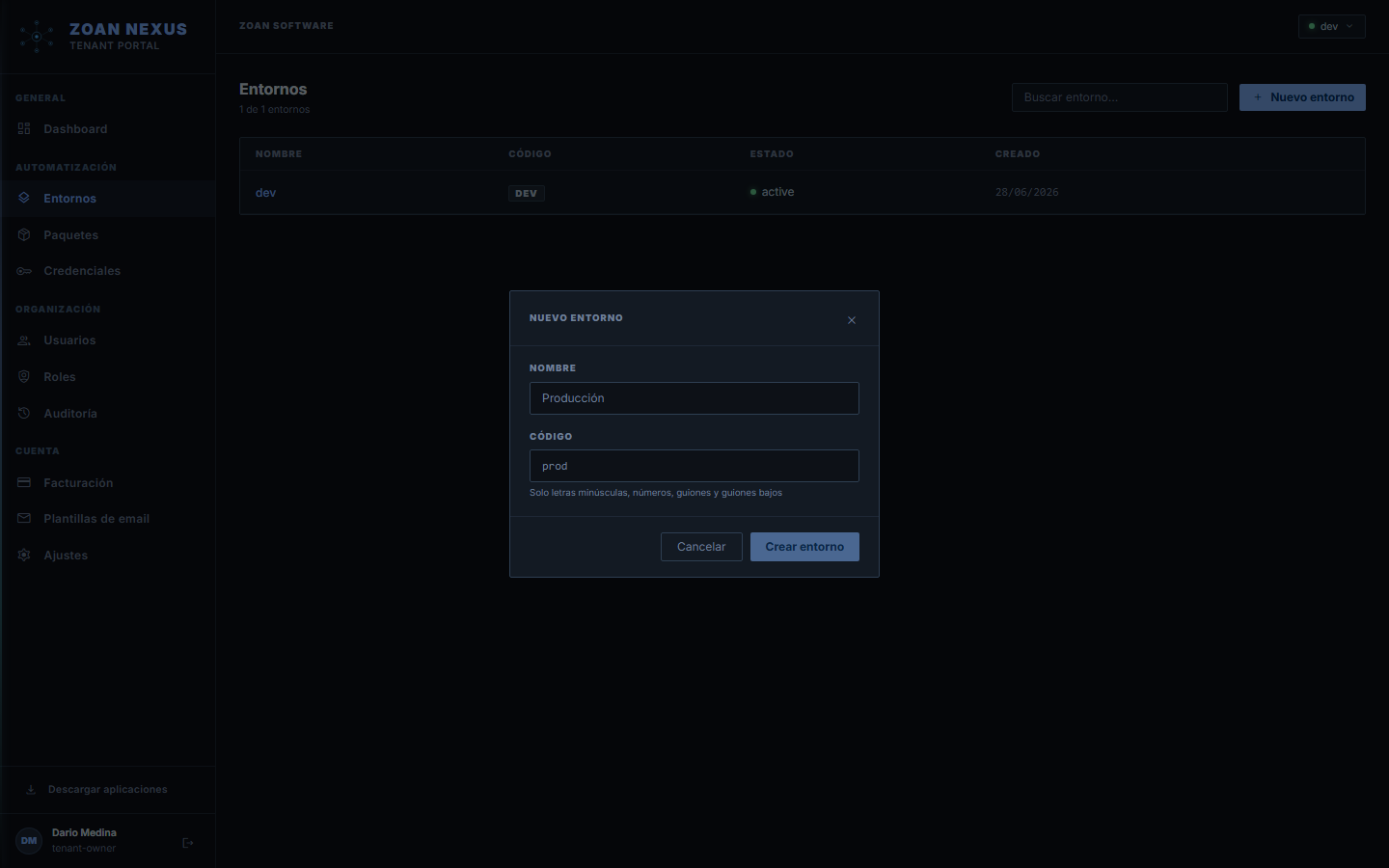
Section titled “Create an environment”- In the portal, open Administración › Ambientes (Administration › Environments), at the bottom of the menu rail.
- Click Nuevo ambiente (New environment).
- Enter a Nombre (Name), e.g.
Producción. The Código (Code) is suggested from the name; choose it carefully, because it doesn’t change later: machines and integrations use it. - Save. The environment is available right away.
An environment can be set to Inactivo (Inactive): while it is, no executions or triggers are launched in it.
To work in it, pick it at the top right under Ambiente (Environment) and open Centro (Center): the root of the tree is the whole environment, and below it you can create folders for each area. See The Zoan Cloud menu.
Isolation: what it means in practice
Section titled “Isolation: what it means in practice”- An agent registered on
Produccióndoes not receive executions fromPruebas. Each agent belongs to a single environment. - credentials from one environment are not visible from another.
- The executions and their logs are recorded in the environment where they occurred.
- A process lives in an environment and references a package in a specific version.
Promote automation between environments
Section titled “Promote automation between environments”The recommended flow to get something from Pruebas to Producción:
- Publish the package from the Designer with a new version number. See Publish and version.
- In the target environment, create or update the process to point to that version. See Create a process. To avoid repeating the setup, use Promover a otro ambiente (Promote to another environment) in the process’s ⋮ menu; queues are copied with Copiar cola a otro ambiente and assistants with Promover in the Studio.
- Verifies that the required credentials exist in the target environment (same logical name, different value).
- Confirms that agents in the target environment are
online. - Launch a test run and check the logs.
Next steps
Section titled “Next steps”- What is an agent — the executor within the environment.
- Create a process — prepare an automation to run.
- Credential Management — secrets per environment.